• Decoded World

    The Mysteries of Humanity: Leonardo da Vinci

  • Decoded World

    The Unsung Hero: Nikola Tesla

  • Decoded World

    The Wizard of Light: Thomas Edison

  • Decoded World

    Adolf Hitler: The Master Manipulator

Showing posts with label Swing. Show all posts

20 July 2016

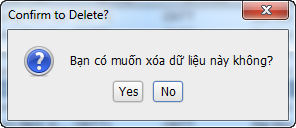
Hàm xóa dữ liệu với Jcheckbox trong Jtable - Delete checkbox table - Java Swing Gui Eclipse


Hàm xóa dữ liệu table khi dùng checkbox
Java 2016
public void deleteSinhVien(JTable table){
 boolean tich = false;
 Object[] options = { "Yes", "No" };
 int n = JOptionPane.showOptionDialog(null, "Bạn có muốn xóa dữ liệu này không?", "Confirm to Delete?",
   JOptionPane.YES_NO_CANCEL_OPTION, JOptionPane.QUESTION_MESSAGE, null, options, options[1]);
 if (n == 0) // Confirm Delete = Yes
 {
  for (int i = 0; i < table.getRowCount(); i++) {
   Boolean chkDel = Boolean.valueOf(table.getValueAt(i, 0).toString()); // Checked
   if (chkDel) // Checked to Delete
   {
    // Delete Data
    String sql = "DELETE FROM project.sinhvien  WHERE idsv = ?";
    try {
     stmt = conn.prepareStatement(sql);
     stmt.setString(1, table.getValueAt(i, 1).toString());
     stmt.executeUpdate();
     tich = true;
    } catch (Exception ed) {
     JOptionPane.showMessageDialog(null, "Không thể xóa id "
       + table.getValueAt(i, 1).toString() + " vui lòng xem lại bảng điểm");
     tich = false;
    }
   }
  }
  if (tich) {
   JOptionPane.showMessageDialog(null, "Xóa dữ liệu thành công!");
  }
 }
}

19 July 2016

JPopupMenu Java Tạo menu hiển thị trên Table với Java swing gui Eclipse

Add event Handler -> mouseReleased
Java 2016
table.addMouseListener (new MouseAdapter () {
 
 @Override
 public void mouseReleased (MouseEvent e) {
  int r = table.rowAtPoint (e.getPoint ());
  if (r> = 0 && r <table.getRowCount ()) {
   table.setRowSelectionInterval (r, r);
  } Else {
   table.clearSelection ();
  }
  // Row index is found ...
  int rowIndex = table.getSelectedRow ();
  if (rowIndex <0)
   return;
  if (e.isPopupTrigger () && e.getComponent () instanceof JTable) {
   JPopupMenu popup = createPopUp (rowIndex, table);
   popup.show (e.getComponent (), e.getX (), e.getY ());
  }
 }
});
Method createPopUp()
Phương thức kiểu JPopUpMenu có 2 tham số
Java gui 2016
// JPopupMenu
  public JPopupMenu createPopUp (int rowIndex, JTable table) {
 JPopupMenu JPopupMenu popup = new ();
 JMenuItem delete = new JMenuItem ( "Delete");
 JMenuItem exit = new JMenuItem ( "Exit");
 delete.addActionListener (new ActionListener () {
  @Override
  public void actionPerformed (ActionEvent e) {
   JOptionPane.showMessageDialog (null, "Delete successfuly!");
  }
 });
 exit.addActionListener (new ActionListener () {
  @Override
  public void actionPerformed (ActionEvent e) { 
   JOptionPane.showMessageDialog (null, "Exit");
  }
 });
 popup.add (delete);
 popup.add (exit);
 return popup;
}

18 July 2016

Tạo đồng hồ và lịch ngày tháng trong java swing gui với Thread, while(true), Calendar chạy liên tục


Show System Date and Time in JFrame ( Dynamic Clock )
Java 2016
public void clock() {
    Thread clock = new Thread() {
        public void run() {
            try {
                while (true) {
                    Calendar cal = new GregorianCalendar();
                    int second = cal.get(Calendar.SECOND);
                    int minute = cal.get(Calendar.MINUTE);
                    int hour = cal.get(Calendar.HOUR_OF_DAY);
                    String thu;
                    int dayOfWeek = cal.get(Calendar.DAY_OF_WEEK);
                    if (dayOfWeek == 1) {
                        thu = "Chủ nhật";
                    } else {
                        thu = "Thứ " + Integer.toString(dayOfWeek);
                    }
                    int dayOfMonth = cal.get(Calendar.DAY_OF_MONTH);
                    int month = cal.get(Calendar.MONTH);
                    int year = cal.get(Calendar.YEAR);

                    timeSystem.setText(hour + ":" + minute + ":" + second);
                    timeSystemBD.setText(hour + ":" + minute + ":" + second);
                    timeSystemTK.setText(hour + ":" + minute + ":" + second);
                    calendarBD.setText(thu + " ngày " + dayOfMonth + " tháng " + (month + 1) + " năm " + year);
                    calendarTK.setText(thu + dayOfWeek + " ngày " + dayOfMonth + " tháng " + (month + 1) + " năm " + year);
                    sleep(1000);
                }
            } catch (Exception e) {
                e.printStackTrace();
            }
        }
    };
    clock.start();
}

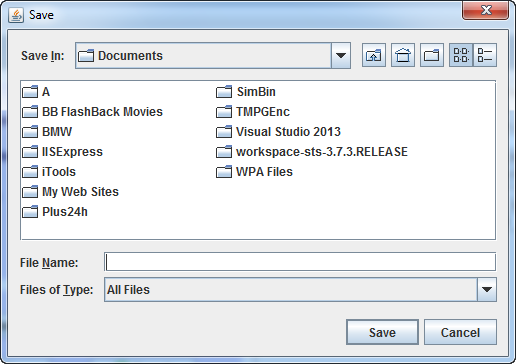
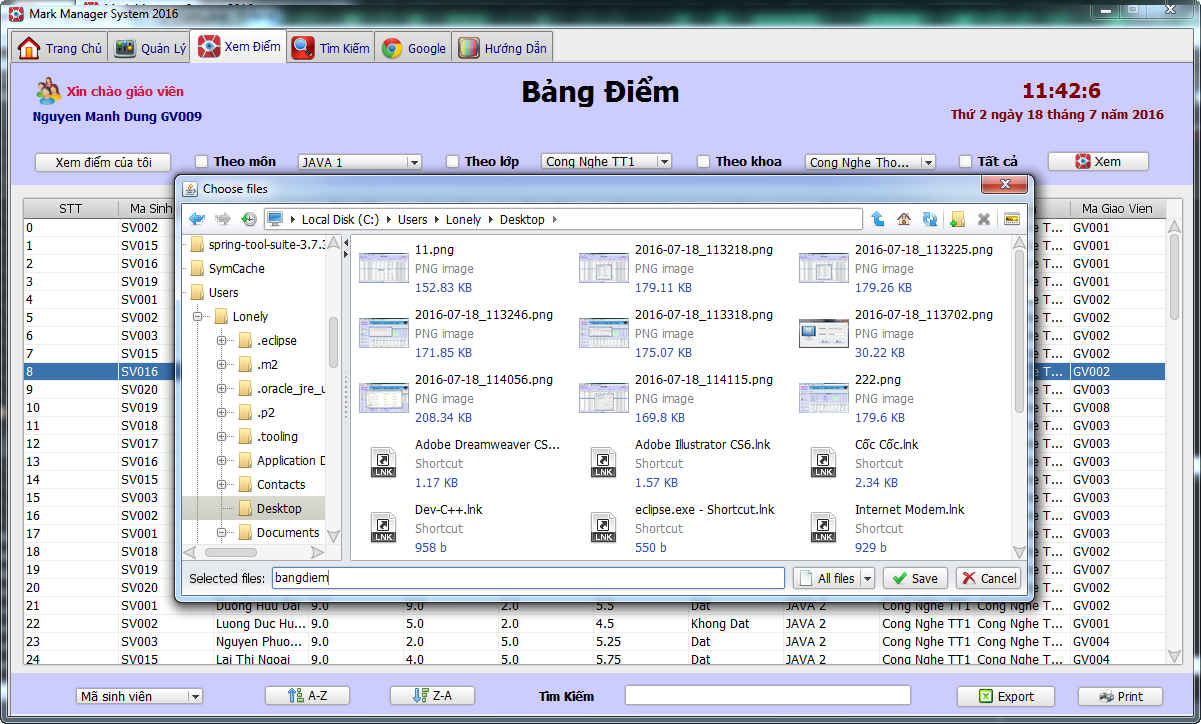
Xuất file excel từ bảng Table trong Java swing gui - How to export Excel data in Java swing gui


How to export Excel data in Java swing gui
Java gui 2016
public void exportExcel(JTable table) {
 JFileChooser chooser = new JFileChooser();
 int i = chooser.showSaveDialog(chooser);
 if (i == JFileChooser.APPROVE_OPTION) {
  File file = chooser.getSelectedFile();
  try {
   FileWriter out = new FileWriter(file + ".xls");
   BufferedWriter bwrite = new BufferedWriter(out);
   DefaultTableModel model = (DefaultTableModel) table.getModel();
   // ten Cot
   for (int j = 0; j < table.getColumnCount(); j++) {
    bwrite.write(model.getColumnName(j) + "\t");
   }
   bwrite.write("\n");
   // Lay du lieu dong
   for (int j = 0; j < table.getRowCount(); j++) {
    for (int k = 0; k < table.getColumnCount(); k++) {
     bwrite.write(model.getValueAt(j, k) + "\t");
    }
    bwrite.write("\n");
   }
   bwrite.close();
   JOptionPane.showMessageDialog(null, "Lưu file thành công!");
  } catch (Exception e2) {
   JOptionPane.showMessageDialog(null, "Lỗi khi lưu file!");
  }
 }
}

In dữ liệu từ Table trong Java swing gui - How to Print Tables - Print JTable in Java swing gui

Print JTable in Java swing gui
Java gui 2016
public void Print(JTable table,String head) {
 MessageFormat header = new MessageFormat(head);
 MessageFormat footer = new MessageFormat("Page {0,number,integer}");
 try {
  table.print(JTable.PrintMode.FIT_WIDTH, header, footer);
 } catch (java.awt.print.PrinterException ep) {
  JOptionPane.showMessageDialog(null, "Error "+head.toLowerCase()+"!");
 }
}

Tạo JCheckbox trong JTable - Java swing gui Eclipse

JCheckbox add JTable 
Java gui 2016
public void showTableSinhVienSelect() {
  // Clear table
  table.setModel(new DefaultTableModel());
  // Model for Table
  DefaultTableModel model = new DefaultTableModel() {
   public Class<?> getColumnClass(int column) {
    switch (column) {
    case 0:
     return Boolean.class;
    case 1:
     return String.class;
    case 2:
     return String.class;
    case 3:
     return String.class;
    case 4:
     return String.class;
    default:
     return String.class;
    }
   }
  };
  table.setModel(model);

  // Add Column
  model.addColumn("Select");
  model.addColumn("ID Sinh Vien");
  model.addColumn("Ho Ten");
  model.addColumn("Ngay Sinh");
  model.addColumn("Gioi Tinh");
  String sql = "SELECT * FROM  project.sinhvien";
  try {
   stmt = conn.prepareStatement(sql);
   rs = stmt.executeQuery(sql);
   int row = 0;
   while ((rs != null) && (rs.next())) {
    model.addRow(new Object[0]);
    model.setValueAt(false, row, 0); // Checkbox
    model.setValueAt(rs.getString("idsv"), row, 1);
    model.setValueAt(rs.getString("hoten"), row, 2);
    model.setValueAt(rs.getDate("ngaysinh"), row, 3);
    model.setValueAt(rs.getString("gioitinh"), row, 4);
    row++;
   }
  } catch (Exception e) {
   e.printStackTrace();
  }
 }


Xem thêm cách xóa dữ liệu khi dùng checkbox trong java swing gui

Project java swing gui phần mềm quản lý điểm sinh viên 7.2016 fpt-aptech Java Eclipse


3 ảnh dưới Sử dụng Weblaf - xem trong code có câu lệnh WebLookAndFeel.install()


Query Database Mysql
Java swing win form 2016
//Bôi đen từng câu lệnh và chạy trên mysql
//Chạy theo thứ tự từ trên xuống

CREATE DATABASE `project` /*!40100 DEFAULT CHARACTER SET utf8 */;

USE project;

CREATE TABLE `admin` (
  `idad` varchar(45) NOT NULL,
  `user` varchar(45) DEFAULT NULL,
  `pass` varchar(45) DEFAULT NULL,
  PRIMARY KEY (`idad`)
) ENGINE=InnoDB DEFAULT CHARSET=utf8;

CREATE TABLE `giaovu` (
  `idgvu` varchar(45) NOT NULL,
  `user` varchar(45) DEFAULT NULL,
  `pass` varchar(45) DEFAULT NULL,
  PRIMARY KEY (`idgvu`)
) ENGINE=InnoDB DEFAULT CHARSET=utf8;

CREATE TABLE `khoa` (
  `idkhoa` varchar(45) NOT NULL,
  `khoa` varchar(45) DEFAULT NULL,
  PRIMARY KEY (`idkhoa`)
) ENGINE=InnoDB DEFAULT CHARSET=utf8;

CREATE TABLE `lop` (
  `idlop` varchar(45) NOT NULL,
  `lop` varchar(45) DEFAULT NULL,
  `idkhoa` varchar(45) DEFAULT NULL,
  `khoahoc` varchar(45) DEFAULT NULL,
  PRIMARY KEY (`idlop`)
) ENGINE=InnoDB DEFAULT CHARSET=utf8;

CREATE TABLE `mon` (
  `idmon` varchar(45) NOT NULL,
  `mon` varchar(45) DEFAULT NULL,
  `tinchi` varchar(45) DEFAULT NULL,
  `idkhoa` varchar(45) DEFAULT NULL,
  PRIMARY KEY (`idmon`),
  KEY `FK_KhoaHoc_idx` (`idkhoa`),
  CONSTRAINT `FK_KhoaHoc` FOREIGN KEY (`idkhoa`) REFERENCES `khoa` (`idkhoa`) ON DELETE NO ACTION ON UPDATE NO ACTION
) ENGINE=InnoDB DEFAULT CHARSET=utf8;

CREATE TABLE `sinhvien` (
  `idsv` varchar(45) NOT NULL,
  `hoten` varchar(45) DEFAULT NULL,
  `idlop` varchar(45) DEFAULT NULL,
  `hedt` varchar(45) DEFAULT NULL,
  `ngaysinh` date DEFAULT NULL,
  `diachi` varchar(45) DEFAULT NULL,
  `gioitinh` varchar(45) DEFAULT NULL,
  `sdt` varchar(45) DEFAULT NULL,
  `idkhoa` varchar(45) DEFAULT NULL,
  PRIMARY KEY (`idsv`),
  KEY `FK_Lop_idx` (`idlop`),
  CONSTRAINT `FK_Lop` FOREIGN KEY (`idlop`) REFERENCES `lop` (`idlop`) ON DELETE NO ACTION ON UPDATE NO ACTION
) ENGINE=InnoDB DEFAULT CHARSET=utf8;

CREATE TABLE `diem` (
  `idlop` varchar(45) NOT NULL,
  `mon` varchar(45) DEFAULT NULL,
  `idmon` varchar(45) NOT NULL,
  `idsv` varchar(45) NOT NULL,
  `diem15` float DEFAULT NULL,
  `diem45` float DEFAULT NULL,
  `diemthi` float DEFAULT NULL,
  `tongket` float DEFAULT NULL,
  `ketqua` varchar(45) DEFAULT NULL,
  `idgv` varchar(45) DEFAULT NULL,
  KEY `FK_Mon_idx` (`idmon`),
  KEY `FK_SV_idx` (`idsv`),
  CONSTRAINT `FK_Mon` FOREIGN KEY (`idmon`) REFERENCES `mon` (`idmon`) ON DELETE NO ACTION ON UPDATE NO ACTION,
  CONSTRAINT `FK_SV` FOREIGN KEY (`idsv`) REFERENCES `sinhvien` (`idsv`) ON DELETE NO ACTION ON UPDATE NO ACTION
) ENGINE=InnoDB DEFAULT CHARSET=utf8;

CREATE TABLE `giaovien` (
  `idgv` varchar(45) NOT NULL,
  `hoten` varchar(45) DEFAULT NULL,
  `idmon` varchar(45) DEFAULT NULL,
  `idkhoa` varchar(45) DEFAULT NULL,
  `idlop` varchar(45) DEFAULT NULL,
  `ngaysinh` date DEFAULT NULL,
  `gioitinh` varchar(45) DEFAULT NULL,
  `email` varchar(45) DEFAULT NULL,
  `sdt` varchar(45) DEFAULT NULL,
  `pass` varchar(45) DEFAULT NULL,
  PRIMARY KEY (`idgv`),
  KEY `FK_IDmon_idx` (`idmon`),
  CONSTRAINT `FK_IDmon` FOREIGN KEY (`idmon`) REFERENCES `mon` (`idmon`) ON DELETE NO ACTION ON UPDATE NO ACTION
) ENGINE=InnoDB DEFAULT CHARSET=utf8;
//Chú ý
//Sau khi tạo xong database:
//Insert username & password cho Admin. -> table admin
//Insert username & password cho giáo vụ. -> table giaovu
//Insert username & password cho giáo viên. -> table giaovien
==>Trong DBUtil.java thay đổi username và password của mysql của bạn vào


BACK TO TOP

Xuống cuối trang